How to make the TLC No Scrubs dance from three photos
Last updated:
Use three separate portraits to pick the center, screen-left and screen-right dancers in your browser, or start with just the center portrait. The dance is built in, so you can make the clip without editing in CapCut. Choose 480p or 720p, generate and download a 23-second 4:3 landscape MP4 with sound.
1. Choose the center portrait
With one photo, put yourself in the center. The two preset dancers fill the side positions.
With two photos, put one person in the center and the other on either side. The remaining position keeps its preset dancer.
With three photos, put one portrait in each position. Left and right are from the viewer’s perspective.
Use clear photos of yourself or adults who agreed to appear. Crop a group photo into separate portraits. You can choose photos before signing in.
2. Choose 480p or 720p
Both resolutions give you the complete 23-second 4:3 landscape video. A single 480p video costs $9.99, one 720p video costs $14.99, and three 720p videos cost $38.99 USD. All are one-time purchases.
720p purchases are for 720p only. The three-video pack can be used on three separate videos with different casts.
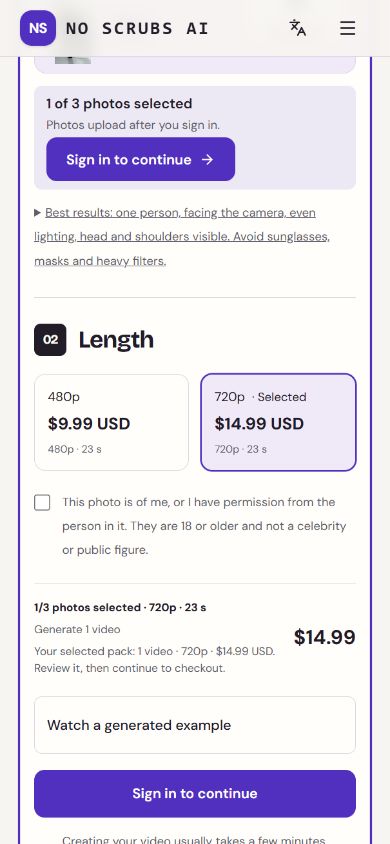
3. Sign in, make the video and download it
Photos start uploading after sign-in. We schedule uploads for deletion after 7 days and wait for any active render using them to finish.
Sign in and confirm that you can use all the photos. If you need a video allowance, buy the pack for your resolution, return to the creator and select Generate.
In My videos, download the finished dance and soundtrack as one MP4 for up to 30 days after completion. You can also delete the video there.
A failed render restores the allowance for one video at the same resolution. If your first finished video won’t play, has the wrong format or has a clear casting error, contact support with the video ID within 7 days of completion.